
WordPress AI content publishing safety from request to rendered page
Safe AI publishing is an operational control problem, not a writing-style setting. The workflow must protect credentials, constrain what the connector may change, keep consequential decisions behind approval, preserve destination structure, and prove the result at the WordPress record and rendered route.
What can go wrong when AI publishes to WordPress?
The main risks are unauthorized requests, leaked credentials, replayed actions, excessive permissions, unsupported claims, duplicate or overwritten content, wrong post status, broken builder layouts, missing SEO fields, unsafe media, failed retries, and a successful API response that hides a broken or unindexable public page.
Separate content risk from destination risk. A factually weak article can be harmful even when WordPress receives it perfectly. A strong approved draft can still be damaged by the wrong slug, editor mode, canonical, robots setting, schema, featured image, author, or publish status.
The control model should therefore begin before the connector. Source truth, page ownership, evidence, brief, draft, QA, and human approval belong upstream; authentication, authorization, idempotency, destination compatibility, audit logging, and rendered proof belong at the delivery boundary.
How should a WordPress AI publishing request be authenticated?
Use a unique high-entropy secret or similarly strong site-specific credential, transmit only over HTTPS, sign the exact request payload with a timestamp and unique request identifier, enforce a short validity window, reject replayed identifiers, compare signatures safely, limit body size and rate, and log the decision without exposing secrets.
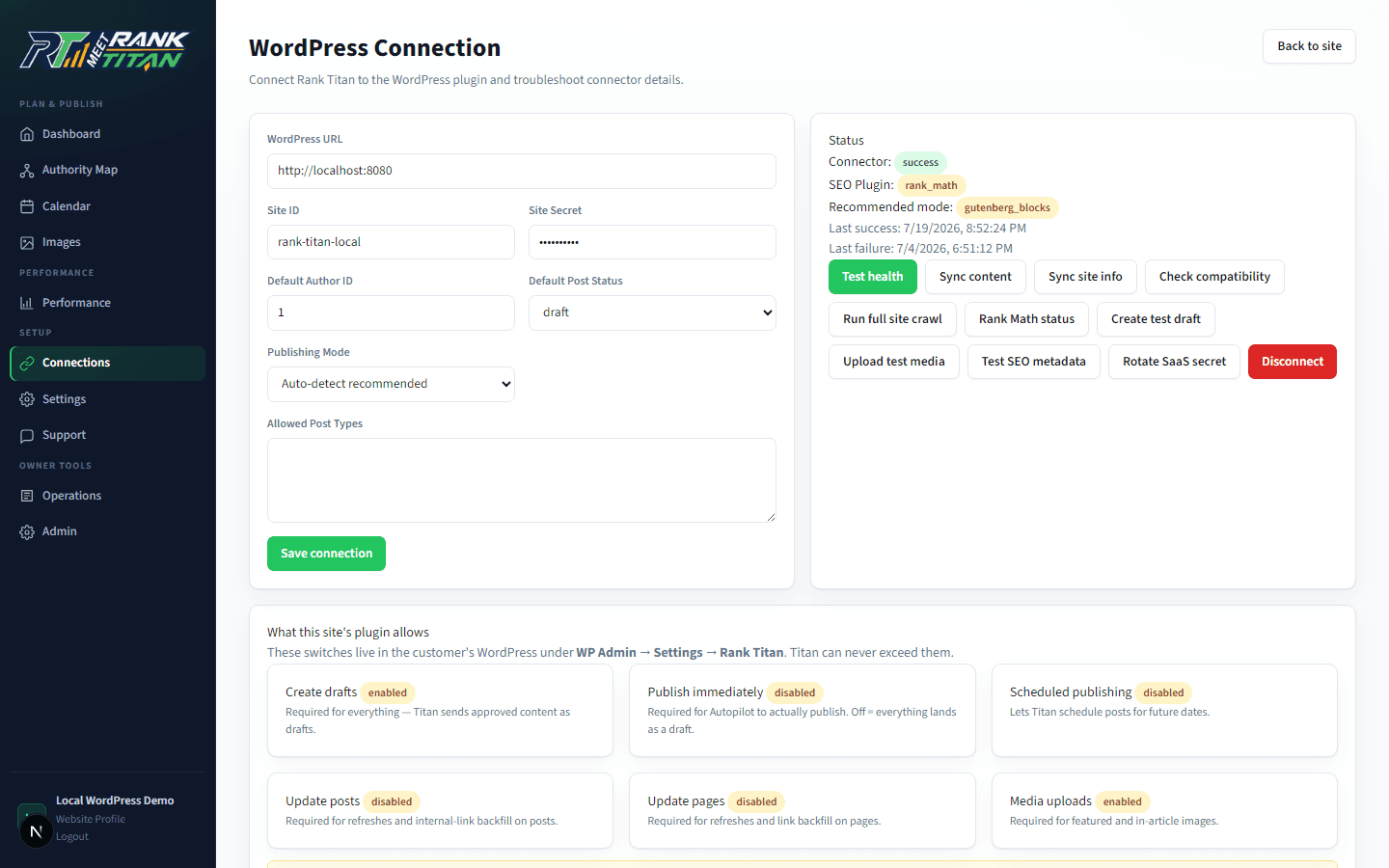
Rank Titan's connector signs the timestamp, request ID, and raw body with HMAC SHA-256. The WordPress side checks the site identifier, timestamp age, replay cache, secret quality, body size, rate limit, and signature before processing a modifying action. The secret is masked in the interface and can be revoked by disconnecting the site.
Authentication proves that a request came from a holder of the credential; it does not grant unlimited authority. WordPress capabilities and explicit connector settings must still decide whether the requested post type, status, update, media upload, or builder action is permitted.
Which publishing permissions should be controlled separately?
Control draft creation, immediate publishing, scheduled publishing, existing-content updates, media uploads, post types, authorship, and builder-managed updates as distinct capabilities. A valid request should be downgraded or rejected when the destination owner disabled the requested action.
- Draft creation: whether the connector may create a reviewable WordPress record at all.
- Publish now: a high-impact capability that should never be inferred from the ability to create drafts.
- Schedule: whether future status and date changes are accepted and which timezone applies.
- Update: whether an existing owner page may be changed, including idempotent retry behavior and revision evidence.
- Media: whether files may be uploaded, which types and sizes are allowed, and how alt text and captions are handled.
- Builders and editors: whether Gutenberg, classic HTML, WPBakery, Elementor, or another destination mode is supported or protected.
Why are draft status and human approval still necessary?
Draft status creates a WordPress-native checkpoint, while upstream approval records who accepted the strategy, facts, editorial result, and destination action. Neither replaces the other. Immediate or scheduled publishing should require explicit destination permission and a completed package-level QA result.
Google's current guidance says generative AI can assist research and structure, while producing many pages without added value may violate scaled-content policies. A publication gate should therefore check purpose, originality, evidence, claims, internal ownership, links, metadata, schema, images, accessibility, and conversion—not merely grammar or an AI-detector score.
The current Rank Titan workflow keeps idea approval, draft generation, draft approval, and WordPress state separate. Risk gates can block due processing when required fixes, prohibited claims, or missing evidence remain.
How should the connector handle builders, updates, and retries?
Detect the editor or builder, choose a supported mode, protect existing builder-managed pages by default, use stable content identifiers and slugs for idempotency, retain a pre-change reference, and ensure a retry updates the intended record rather than creating a duplicate.
Generic HTML that looks valid in an API payload can flatten protected shortcodes, bypass theme components, or render badly inside a visual builder. A safe connector reports limited or unsupported modes and requires explicit capability for risky overwrites instead of claiming universal compatibility.
Every modifying response should identify the operation, WordPress record, final status, edit URL, adapter, warnings, and whether the result was created, updated, downgraded, or rejected. Retain request and response evidence without storing credentials in logs.
What must be verified after an AI-assisted WordPress publish?
Verify three layers: the authenticated connector result, the WordPress record, and the rendered public route. Then keep deployment, indexation, ranking, conversion, and AI visibility as later independent states. An HTTP success from the connector proves only the first layer.
- Connector: signature accepted, action authorized, request ID unique, target ID and status returned, warnings retained.
- WordPress record: title, slug, author, post type, status, schedule, content, excerpt, media, metadata, schema storage, and revision state.
- Rendered route: status, canonical, robots, title, description, one H1, headings, links, images, structured data, accessibility, and mobile layout.
- Discovery: sitemap membership, crawlability, Search Console inspection, index state, and unexpected duplicate URLs.
- Outcome: owner-query visibility, qualified traffic, conversions, refresh needs, complaints, rollback events, and maintenance owner.
One-click publishing versus controlled WordPress delivery
| Control | One-click publishing | Controlled delivery |
|---|---|---|
| Request | Credential or generic webhook | Signed payload, timestamp, unique ID, replay protection, limits, and logs |
| Authority | Integration can publish | Draft, publish, schedule, update, media, post type, and builder permissions separated |
| Content gate | Generated output exists | Ownership, evidence, factual, editorial, SEO, and risk approvals complete |
| Destination | Generic post body | Editor, builder, SEO adapter, media, schema, author, and status aware |
| Retries | May duplicate or overwrite | Idempotent target, revision evidence, and explicit action result |
| Proof | API returned success | Connector, WordPress record, rendered route, and search state verified separately |
Implementation checklist
- Keep AI provider keys and strategy data outside the WordPress connector.
- Use HTTPS, a unique strong secret, HMAC, timestamps, request IDs, replay protection, limits, and safe logs.
- Control draft, publish, schedule, update, media, post type, and builder actions independently.
- Require page ownership, evidence, factual review, QA, and explicit approval before delivery.
- Detect the destination editor and SEO adapter; report limited support honestly.
- Make retries idempotent and retain a revision or rollback reference for updates.
- Verify the connector result, WordPress record, and exact rendered route.
- Track deployment, indexation, rankings, conversions, incidents, and upkeep as separate states.
Frequently asked questions
Is saving AI content as a WordPress draft enough to make publishing safe?
No. Draft status is one useful boundary. The content still needs strategy, factual, editorial, SEO, permission, destination, and rendered checks.
Should AI provider keys be stored in a WordPress plugin?
Rank Titan does not require that. Its current connector stores the site identifier and shared connector secret, while provider keys and prompt logic remain in the SaaS application.
Can Rank Titan publish immediately?
The connector supports requested statuses only when WordPress-side permissions allow them. Draft-first remains the safer default, and the site owner can deny immediate or scheduled publishing.
Does a successful connector response prove the page is live and indexable?
No. It proves the requested connector operation completed. The WordPress record and rendered public route must still be verified, and indexing is a later search-engine state.
Primary sources and further reading
See the Rank Titan tools used in this workflow
These are current captures from the working Rank Titan application—not conceptual dashboard mockups.
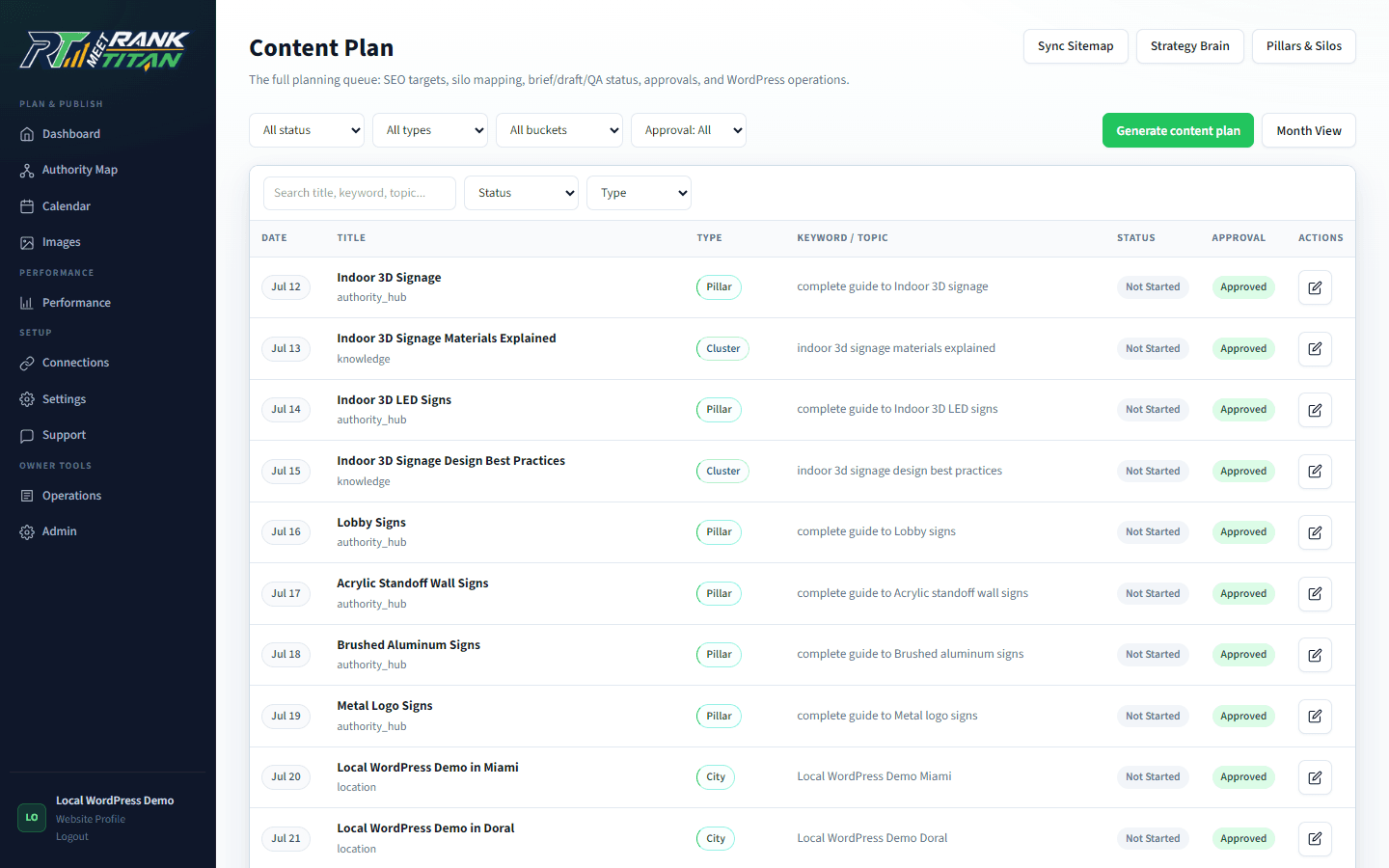
Map the site before generating the next page.
Rank Titan connects crawl evidence, topical architecture, briefs, QA, internal links, and draft-safe publishing in one reviewable workflow.