
The complete SEO draft package for WordPress
A WordPress SEO draft package is the complete, reviewable contract for one page. It keeps the strategy, copy, search presentation, structured data, media, links, destination choices, approvals, and verification evidence together so the CMS handoff does not quietly drop essential work.
What is an SEO draft package for WordPress?
An SEO draft package is a versioned set of page ownership, brief, content, metadata, structured data, media, internal links, destination instructions, quality evidence, and approval state prepared for a specific WordPress site. It is more than an article body and more than an SEO-plugin score.
The package should be understandable before delivery and inspectable afterward. A reviewer can see what the page is meant to own, which claims need support, what will appear in search, where it links, what WordPress record will be created or updated, and what proof will confirm the result.
Rank Titan stores the brief separately from draft versions and can retain metadata, HTML, schema, image and internal-link plans, model provenance, QA reports, prompt-package rules, and revision snapshots. The connector then handles only the approved destination action.
Which strategy and brief fields belong in the package?
Include the page's canonical owner, query family, audience task, search intent, page type, parent cluster, target service or location, purpose, required sections and entities, decision points, trust and conversion signals, hard vetoes, fact checks, internal-link targets, schema and image recommendations, and acceptance criteria.
- Ownership: proposed or existing URL, competing pages, exclusions, parent pillar, commercial owner, and create-versus-update decision.
- Audience: who needs the page, what decision or task it serves, funnel stage, and conversion path.
- Evidence: first-party facts, approved sources, screenshots or assets, freshness needs, and unsupported claims to reject.
- Structure: direct answer, required sections, entities, examples, comparison or table needs, FAQs, and expected depth.
- Acceptance: factual, editorial, SEO, accessibility, destination, and rendered-route checks with responsible approvers.
Which content and search fields should be handed to WordPress?
The content layer should include the visible title, structured body, excerpt or teaser, CTA, sources, and approved reusable components. The search layer should include a unique SEO title, meta description, focus topic where supported, suggested slug, canonical and robots direction, social fields, and any update or redirect instruction.
Keep the visible H1 and SEO title as separate fields even when their wording is similar. The slug should be stable and checked against existing content before creation. Canonical and robots fields require special caution because a technically successful write can remove the page from search or point signals to the wrong owner.
Destination adapters differ. The current Rank Titan connector detects Rank Math, Yoast SEO, All in One SEO, and SEOPress and reports capability-specific support rather than treating every field as interchangeable. Unsupported fields should remain visible as warnings or package data, not silently disappear.
How should schema, images, and internal links be packaged?
Store valid JSON-LD by intended type and visible-content requirements; list each image with source, file or prompt reference, placement, caption, alternative text, featured-image intent, rights or approval, and truthful proof boundary; and specify internal links with exact target URL, anchor intent, placement, and reason.
WordPress media records support alternative text, caption, description, and other fields, but a successful upload does not prove the image is appropriate or visible. The destination permission must allow media, and the rendered page should be checked for dimensions, responsive behavior, loading, caption context, and duplicate featured images.
Internal links should connect the page to its pillar, commercial owner, supporting content, or relevant service/location paths. The package can also identify existing pages that should link back after release; those updates require their own permission and verification rather than being hidden inside the new-page action.
Which WordPress destination fields belong in the package?
Specify the site and connector, operation, target record for updates, post type, author, requested status, schedule and timezone, categories or tags where relevant, editor or builder mode, template constraints, SEO adapter, media permission, update policy, idempotency key, and rollback reference.
- Operation: create, update, refresh, link backfill, media-only change, metadata correction, schedule, publish, or rollback.
- Target: WordPress post ID and current URL for updates; never rely only on a similar title.
- Status: draft, pending, future, private, or publish as supported by WordPress and allowed by the connector.
- Compatibility: Gutenberg, classic, WPBakery, Elementor, custom post type, or another detected mode with explicit limitations.
- Safety: request identifier, previous version or snapshot, expected current state, warnings, and what should happen if any field cannot be applied.
What QA and release proof should travel with the draft?
Retain the QA rubric and result, required fixes, factual approvals, revision history, final approver, connector request and response summary, WordPress record ID and edit URL, rendered-route check, sitemap and discovery state, and later performance annotations. Do not collapse them into a single 'published' flag.
A package can be complete but not approved; approved but not delivered; delivered as a draft but not live; live but noindexed; indexed but not ranking; ranking but not converting. The status model should preserve those distinctions so teams know the actual next action.
Rendered verification should inspect the precise route on representative desktop and mobile sizes, parse structured data, check title and description lengths, one H1, canonical and robots values, images and alt text, links, visible CTA, builder integrity, and console errors. Record failures against the package and keep the prior state available for safe correction.
Article handoff versus complete WordPress SEO package
| Package area | Article handoff | Complete SEO package |
|---|---|---|
| Strategy | Title and keyword | Owner, intent, audience task, cluster, evidence, exclusions, and CTA |
| Content | Document or HTML | Versioned visible content, sources, components, and approval |
| Search | Title and description notes | Slug, metadata, canonical, robots, social fields, and adapter result |
| Assets | Featured image suggestion | Approved files, placement, caption, alt text, rights, schema, and exact links |
| Destination | Copy into WordPress | Site, operation, ID, post type, author, status, builder, permissions, and retry key |
| Proof | Editor says it is done | QA, connector, record, rendered route, discovery, index, and outcome states |
Implementation checklist
- Record the canonical owner, audience task, page type, cluster role, URL decision, and exclusions.
- Attach the approved brief, evidence, sources, hard vetoes, acceptance criteria, and revision version.
- Include visible content, excerpt, CTA, SEO title, description, slug, canonical, robots, and social fields.
- Package valid visible-content-matched schema, approved media, captions, alt text, and exact internal links.
- Specify site, operation, target ID, post type, author, status, schedule, builder, adapter, and permissions.
- Make retries idempotent and retain the previous state or rollback reference for updates.
- Keep QA, factual approval, editorial approval, destination approval, and connector result visible.
- Verify the WordPress record, rendered route, sitemap, discovery, indexation, and later performance separately.
Frequently asked questions
Is an SEO draft package the same as a content brief?
No. The brief defines the page plan. The complete package also contains the resulting content, metadata, schema, media, links, destination settings, QA, approvals, and release proof.
Does every package need schema?
It needs an explicit schema decision. Use supported structured data only when the visible page and facts justify it; otherwise record that no page-specific type should be added.
Can the same package work with every WordPress SEO plugin?
The logical fields can remain consistent, but adapters differ. Detect the installed plugin and report which metadata, canonical, robots, social, focus, and schema fields were applied or unsupported.
When is the package complete?
Package completeness means required fields and approvals are present. Delivery, live rendering, indexing, rankings, conversions, and maintenance are later states that require their own evidence.
Primary sources and further reading
See the Rank Titan tools used in this workflow
These are current captures from the working Rank Titan application—not conceptual dashboard mockups.
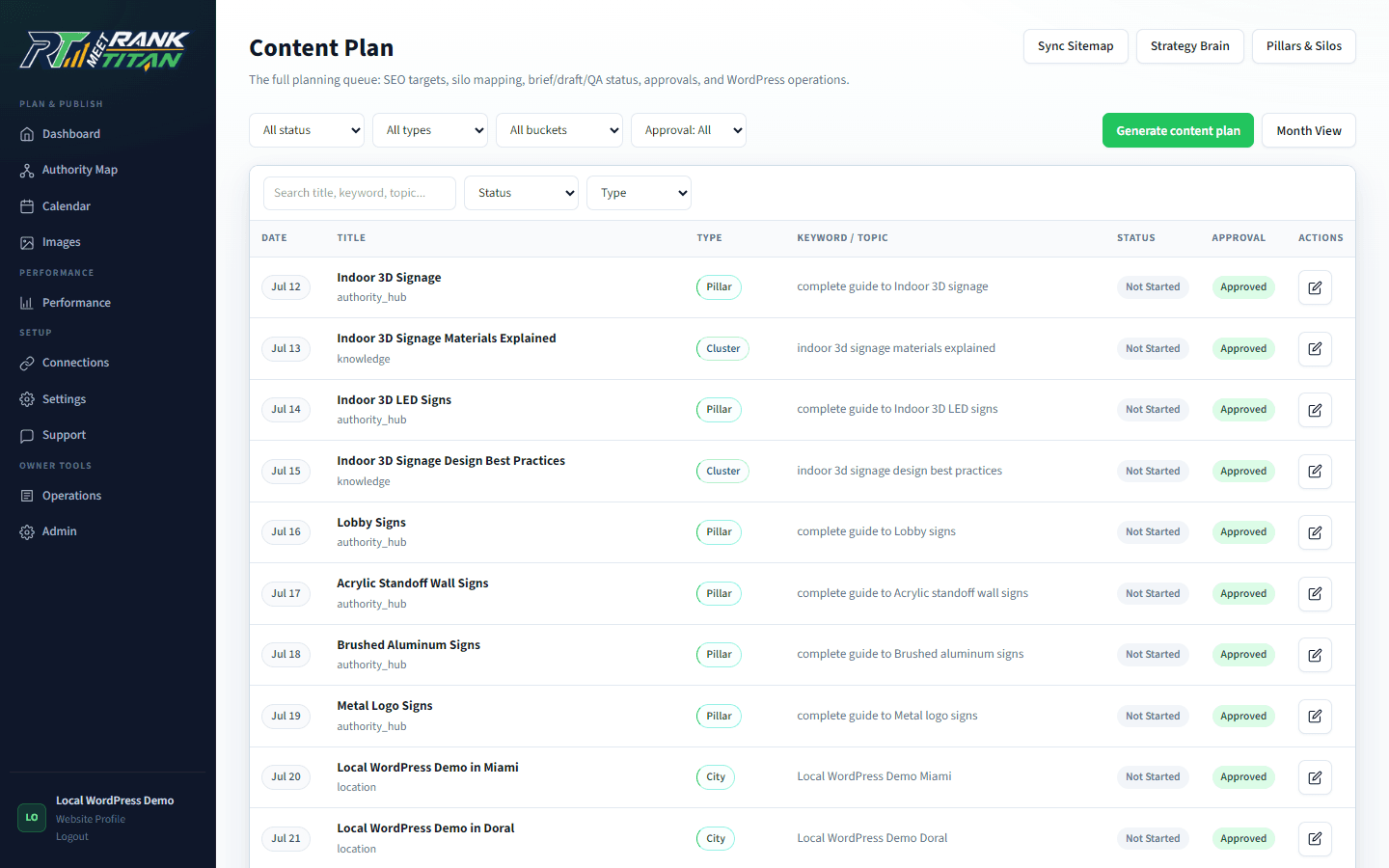
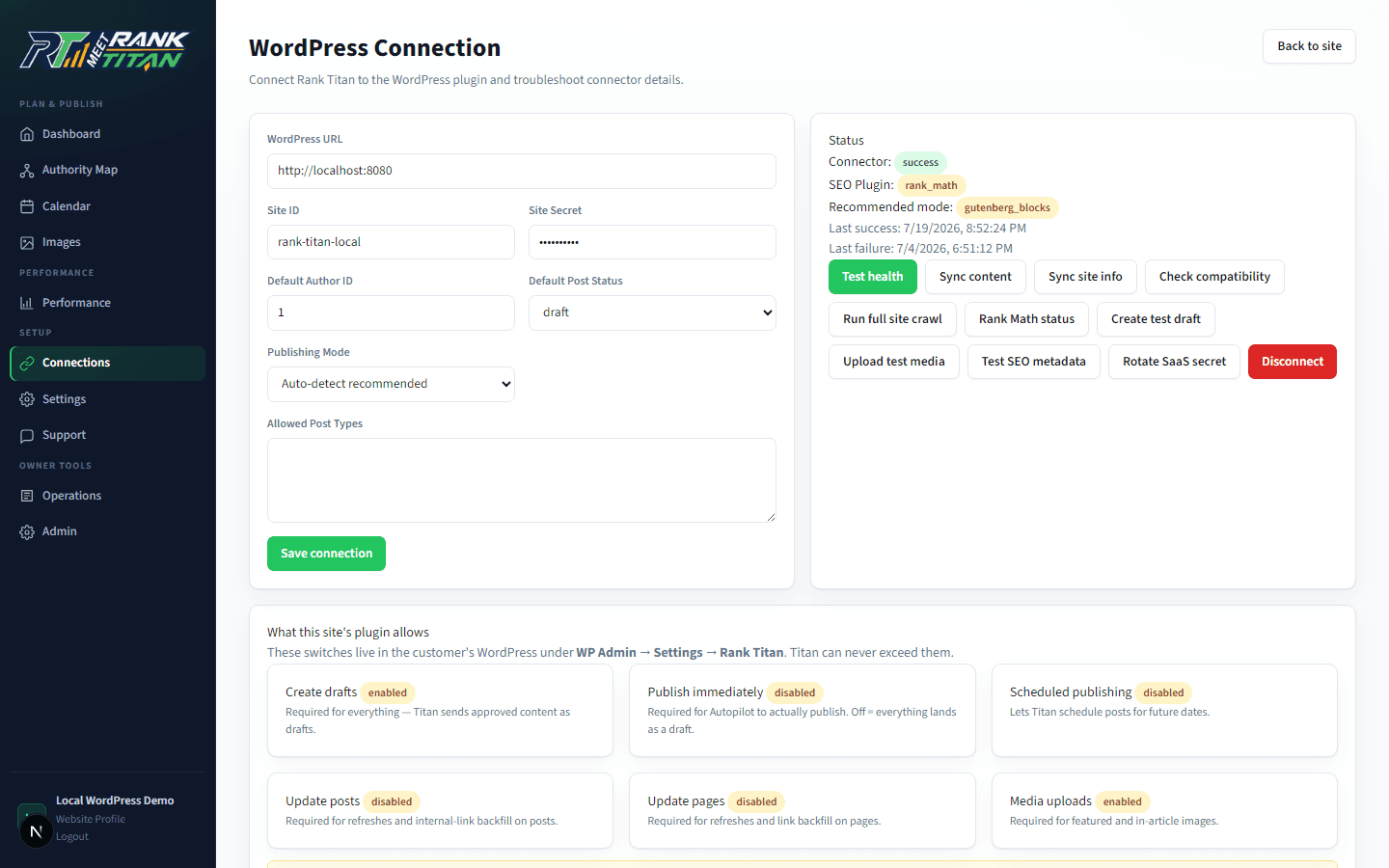
Map the site before generating the next page.
Rank Titan connects crawl evidence, topical architecture, briefs, QA, internal links, and draft-safe publishing in one reviewable workflow.