
WordPress SEO automation without surrendering publishing control
WordPress SEO automation is safest when the CMS remains the controlled destination rather than the place where strategy is improvised. Research, page ownership, evidence, drafting, and QA should happen before a signed connector prepares an approved WordPress draft.
What is WordPress SEO automation?
WordPress SEO automation is a governed workflow that prepares and transfers approved search-focused page packages into WordPress. It can include content, status, slug, author, media, metadata, structured data, and internal links, while site owners retain permission and publication control.
WordPress itself exposes content and media operations through its REST architecture, including named post states such as draft, pending, future, private, and publish. That makes CMS delivery automatable, but delivery should be the last stage of a larger process. A fast publishing endpoint cannot decide whether the page has a unique intent, accurate claims, useful evidence, or a safe relationship to existing content.
A dependable workflow therefore separates the SEO control plane from the CMS. Rank Titan keeps the crawl, authority map, content plan, approval states, sources, and QA in the application. Its WordPress connector receives destination-aware actions only after that work has been prepared.
What belongs in a WordPress SEO page package?
The package should contain everything needed to review and reproduce the intended page: content, page type, slug, excerpt, author, status, metadata, canonical and robots instructions where supported, schema, media and alt text, internal links, publishing mode, sources, and QA evidence.
- Page ownership: primary intent, audience task, canonical URL, parent cluster, and exclusions.
- Content: title, headings, body, tables or lists, CTA, sources, and approved product proof.
- Search presentation: SEO title, meta description, canonical, robots direction, social fields, and focus topic where the destination adapter supports it.
- Structured data: valid JSON-LD that matches visible content and the page type.
- Media: file, placement, caption, descriptive alternative text, and featured-image intent.
- Operations: target post type, editor or builder mode, requested status, approver, schedule, update policy, and rollback reference.
How should a WordPress automation connector be secured?
Every modifying request should be authenticated, integrity-checked, time-limited, resistant to replay, bounded in size and rate, logged, and limited by WordPress-side capabilities. A valid SaaS request should never exceed permissions the site owner disabled in the plugin.
Rank Titan's connector signs the timestamp, unique request ID, and raw request body with HMAC SHA-256. The WordPress plugin rejects missing headers, wrong site IDs, stale timestamps, reused request IDs, insecure secrets, invalid signatures, oversized bodies, and rate-limit violations. This is product behavior visible in the connector source, not a claim inferred from a marketing page.
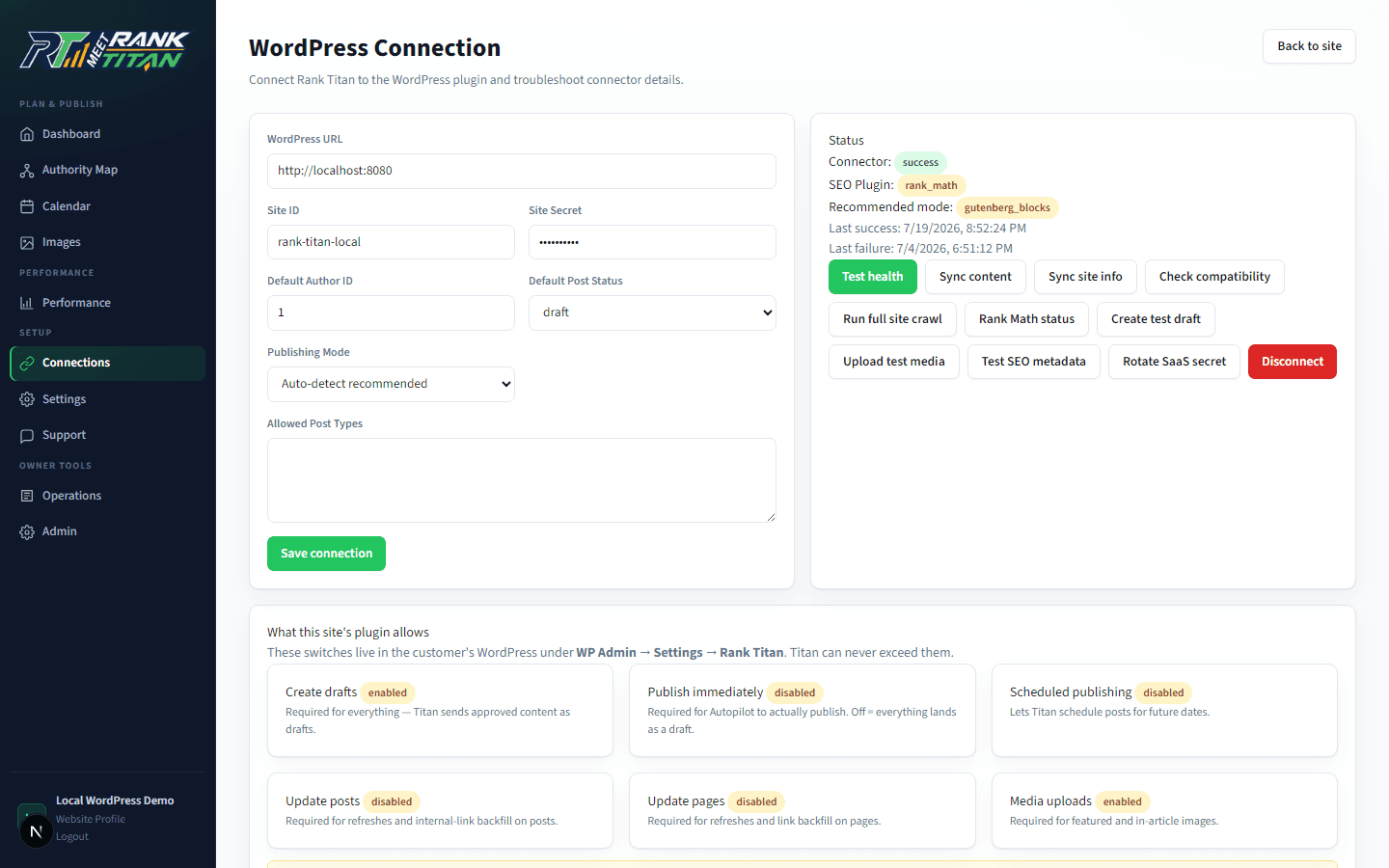
The site owner can revoke the connection and independently control draft creation, immediate publishing, scheduled publishing, updates, media uploads, and other capabilities. Secrets and AI provider keys do not belong in published content or browser responses. The connector UI masks its shared secret and records recent request outcomes for troubleshooting.
Why should automated publishing default to drafts?
Draft-first delivery creates a final WordPress-native review point for layout, metadata, links, images, permissions, and unexpected theme behavior. Immediate or scheduled publishing should require an explicit site-side capability rather than being assumed from an approval inside another system.
Rank Titan's connector downgrades publish or future requests to a draft when the corresponding WordPress permission is disabled. It can also reject a draft request when draft creation itself is disabled. These controls let a site owner place a hard boundary in the destination even if an upstream workflow is misconfigured.
Draft status is not the whole safety model. The system should also validate the exact post type, keep slugs idempotent so a retry does not create a duplicate, return the WordPress edit URL, and verify the created record. Publication, live-route verification, indexing, and ranking must remain separate statuses.
How should automation handle Gutenberg and page builders?
Detect the destination editor before writing, choose a compatible mode, and protect builder-managed pages from direct overwrite unless a responsible user explicitly permits it. Clean HTML is not automatically safe for every builder or existing layout.
- Gutenberg: create or preserve block markup when the destination uses the block editor.
- Classic HTML: sanitize supported markup and preserve a predictable document structure.
- WPBakery: use a limited approved wrapper or existing protected shortcode structure rather than flattening layouts blindly.
- Elementor: prefer a standard safe draft and disclose that full layout conversion is not supported by the connector's current mode.
- Existing builder pages: block overwrites by default and require an explicit destination permission for high-risk updates.
How are WordPress SEO plugin fields handled?
Use a destination adapter that detects the installed SEO plugin and writes only supported fields. Unsupported or partial capabilities should be reported, not silently described as complete compatibility.
The current Rank Titan connector detects Rank Math, Yoast SEO, All in One SEO, and SEOPress. Its compatibility report distinguishes full, safe-field, limited, and partial support for metadata, focus topics, canonical fields, robots settings, social fields, and schema. When no supported plugin is present, it stores available information in Rank Titan custom metadata rather than pretending a third-party integration succeeded.
Schema is validated as JSON and stored separately so it can be emitted in the document head. This avoids leaving raw JSON-LD visible inside post content when WordPress strips script tags from a REST-created body. The final page still needs rendered validation because theme and plugin output can create duplicates or conflicts.
How should images and internal links move into WordPress?
Treat media and links as first-class package elements. Upload images only when the destination permits it, retain meaningful alt text and captions, verify the resulting attachment, and apply internal links against stable destination URLs rather than guessed slugs.
The official WordPress media schema includes alternative text and caption fields, which makes accessible metadata part of the transfer rather than a later cleanup. Images should demonstrate a workflow, provide evidence, or help a reader complete the task; generic decoration does not strengthen a thin page.
Internal-link backfill requires update permission on the source post or page. If updates are disabled, the connector should report that the link cannot be applied instead of modifying content anyway. After updates, crawl the destination to detect broken URLs, redirect hops, orphan pages, and unexpected builder changes.
What must be verified after a WordPress automation run?
Verify the connector result, the WordPress record, and the rendered public route as three separate layers. A successful signed request proves that an operation completed; it does not prove the page looks correct, is indexable, appears in a sitemap, or is performing in search.
- Connector: authenticated response, action, target ID, status, adapter, warnings, and audit log.
- WordPress record: title, slug, author, post type, status, content, media, metadata, schema storage, and edit URL.
- Rendered route: HTTP status, canonical, robots, title, description, one H1, headings, links, images, schema, and responsive layout.
- Search discovery: sitemap presence, crawl access, Search Console inspection, and index status after publication.
- Outcome: query impressions, qualified clicks, conversions, internal-link contribution, and refresh or rollback decision.
Direct WordPress generation versus governed delivery
| Control | Generate directly in WordPress | Governed WordPress delivery |
|---|---|---|
| Site context | Often limited to editor context | Uses crawl, authority map, business truth, and page ownership |
| Approval | Depends on the editor session | Explicit planning, evidence, editorial, and destination gates |
| Authentication | Plugin- or account-specific | Signed, time-limited, replay-resistant connector requests |
| Destination status | May publish immediately | Draft-first with site-side publish capabilities |
| Builders | Generic output may overwrite structure | Compatibility detection and protected-page modes |
| SEO fields | Entered separately or inconsistently | Adapter-aware metadata, schema, media, and link package |
| Proof | Generation success | Connector, CMS record, rendered route, and search status tracked separately |
Implementation checklist
- Complete crawl, page ownership, evidence, and editorial review before CMS delivery.
- Provision a unique connector secret and reject insecure defaults.
- Require signed requests with timestamps, unique IDs, replay protection, limits, and logs.
- Set WordPress-side permissions for drafts, publishing, scheduling, updates, media, and builders.
- Detect the editor and SEO plugin; report partial or unsupported fields honestly.
- Send a complete package containing content, metadata, schema, media, links, and status.
- Verify the WordPress record and rendered route after every important action.
- Track publication, indexing, rankings, conversions, and AI citations as separate outcomes.
Frequently asked questions
Can Rank Titan publish directly to WordPress?
The connector can create drafts and supports immediate or scheduled statuses only when the WordPress-side capabilities permit them. Draft-first review remains the safer default.
Does the WordPress plugin store AI provider keys?
No. The current connector stores its Rank Titan site identifier and shared connector secret in WordPress; AI provider keys, strategy, prompts, and QA logic remain in the SaaS application.
Which WordPress SEO plugins can the connector detect?
The current source detects Rank Math, Yoast SEO, All in One SEO, and SEOPress, with capability-specific adapters. Support levels differ, so compatibility should be checked on the destination site.
Will automation preserve Elementor or WPBakery layouts?
It detects builder conditions and uses protected or limited modes. Existing builder-managed pages are not safe to overwrite generically; destination capability and an explicit review are required.
Primary sources and further reading
See the Rank Titan tools used in this workflow
These are current captures from the working Rank Titan application—not conceptual dashboard mockups.
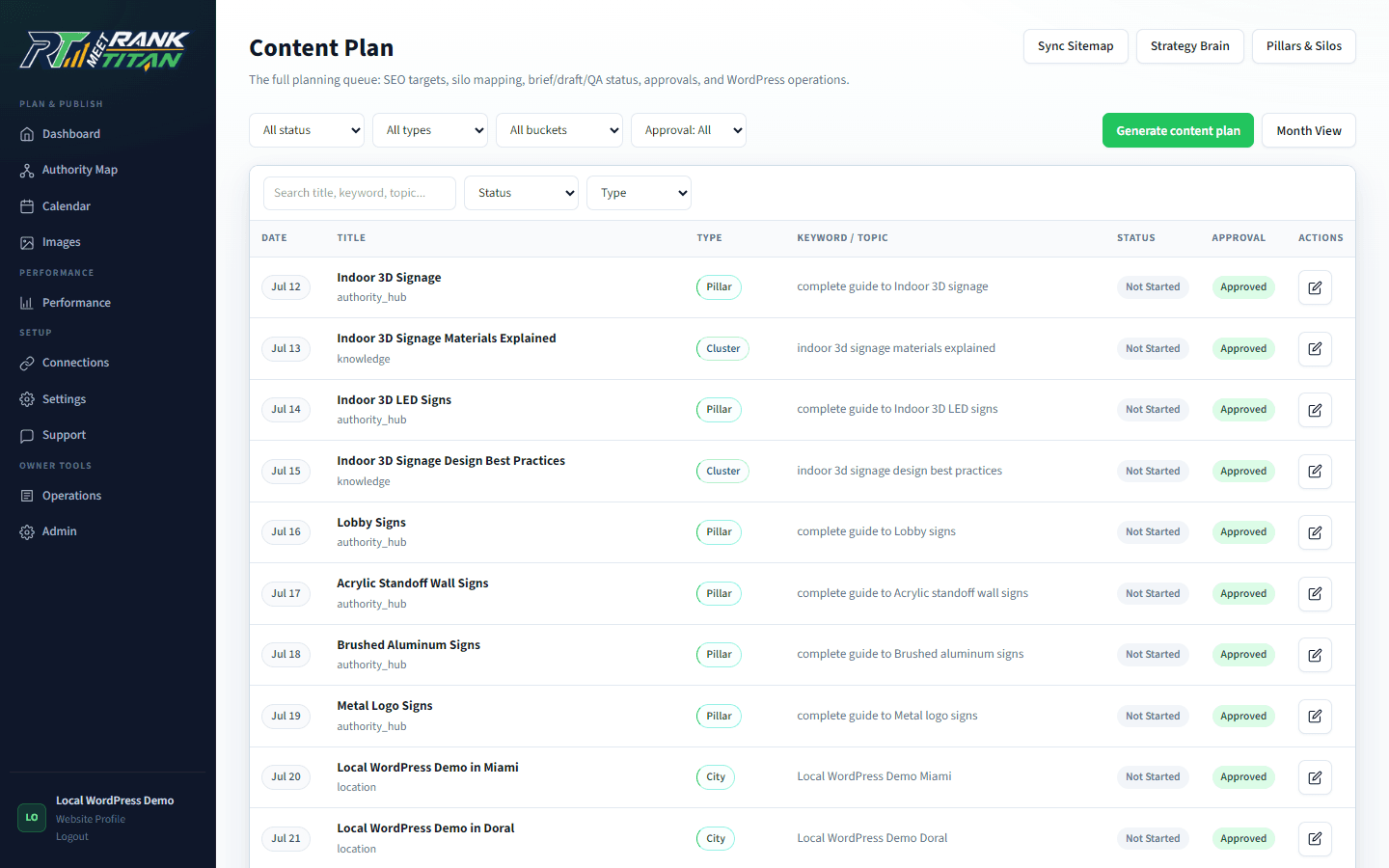
Map the site before generating the next page.
Rank Titan connects crawl evidence, topical architecture, briefs, QA, internal links, and draft-safe publishing in one reviewable workflow.