
SEO content calendar automation with approval and recovery built in
An automated SEO calendar should control when approved work becomes eligible for its next step. It should not turn every idea into a draft, treat a scheduled item as approved, or mark a successful API request as a verified publication.
What does an automated SEO content calendar control?
It controls priority, assignment, target dates, dependencies, eligibility rules, approval states, reminders, rescheduling, and feedback into the backlog. The calendar coordinates approved work; it does not decide whether a page deserves to exist.
A title and date are not enough for SEO production. Every calendar item should point to a canonical page owner, audience task, page type, cluster role, evidence source, responsible reviewer, destination, and next allowed action.
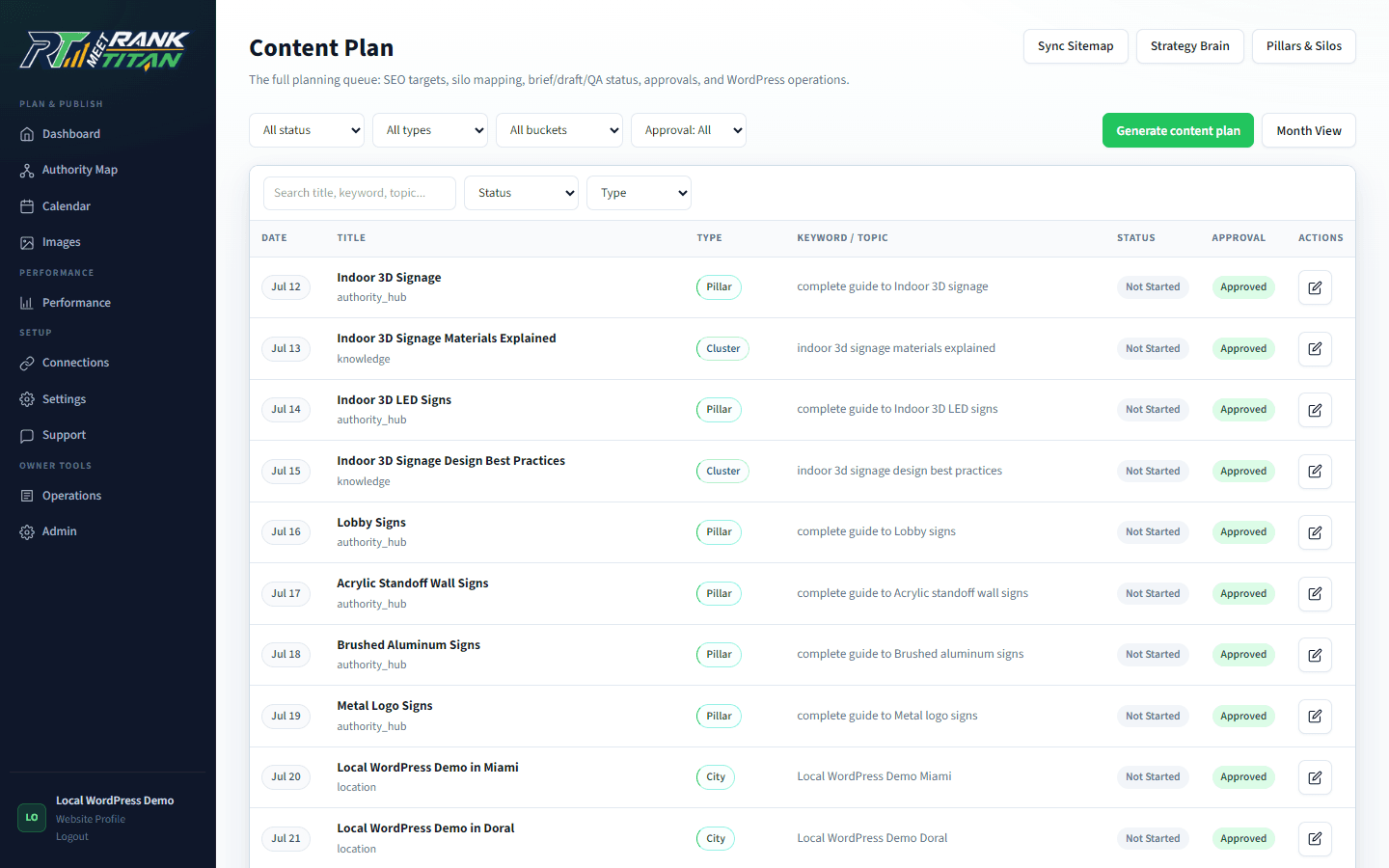
Rank Titan's Content Plan keeps topic, page type, schedule, approval, and production status visible. That lets the system distinguish planned, scheduled, drafted, reviewed, sent to WordPress, rendered, indexed, and performing states.
Which fields make the calendar operational?
Store enough context to make a safe next-step decision without reopening the entire strategy. At minimum include the owner URL or proposed slug, intent, page type, priority, due date, status, approver, dependencies, evidence readiness, and destination state.
- Ownership: current or proposed URL, query family, audience task, parent pillar, and exclusions.
- Production: brief state, draft state, assigned person or automation, review owner, and blocking reason.
- Schedule: target date, earliest eligible date, dependency dates, cadence lock, and reschedule reason.
- Release: destination site, requested status, permissions, connector state, rollback reference, and rendered proof.
- Measurement: deployment date, index state, query set, conversion path, review date, and outcome decision.
Where should approval sit in calendar automation?
Approval belongs before expensive or consequential transitions. Approve the page idea before a brief is generated, approve required evidence before drafting, approve the completed package before CMS delivery, and approve any live publication separately when the destination permits it.
A scheduled date means the item may become due; it does not prove that evidence, brief, draft, or publication was approved. Keep those states explicit so an overdue date cannot bypass a missing factual review.
If a dependency fails, move the item to a visible blocked or revise state. Do not silently substitute generated facts, skip unavailable screenshots, or publish a thinner page to preserve calendar velocity.
Which calendar triggers are safe to automate?
Automate deterministic checks and reversible preparation. Gate generation, destructive changes, and external publication behind stored prerequisites, destination permissions, idempotency, and a recoverable failure path.
- Safe: detect due items, validate required fields, notify owners, assemble a brief, run QA, and prepare a draft request.
- Conditional: generate a draft only when the plan and evidence states permit it and usage limits are understood.
- Protected: redirects, canonical changes, deletions, live publication, and third-party submissions require explicit authority.
- Duplicate safety: use locks or idempotency keys so retries cannot create two drafts or two publishes.
- Failure recovery: retain the last safe state, exact error, retry eligibility, and accountable next owner.
How should the calendar handle capacity and rescheduling?
Schedule to the constrained review and evidence capacity, not the maximum generation rate. When work slips, preserve ownership and dependencies, record why, and move lower-priority items rather than compressing review gates.
Capacity is usually constrained by subject experts, editorial review, custom visuals, CMS validation, or client approval. A model may generate faster than those controls can respond, which creates content debt rather than throughput.
Use priority tiers and dependency order. A commercial owner or pillar may need to ship before support pages. A screenshot-dependent QA guide should remain blocked until a real evidence capture exists instead of borrowing an unrelated image.
How is calendar performance different from SEO performance?
Calendar metrics describe operational flow; SEO metrics describe discovery and business outcomes. Track both, but never merge completion percentage, QA score, rankings, and conversions into one success number.
- Flow: cycle time, overdue items, blocked time, revision count, approval latency, and publish-error rate.
- Completeness: packages with approved sources, links, schema, images, destination state, and rendered proof.
- Search: crawl discovery, index state, query impressions, clicks, owner stability, and relevant AI-answer observations.
- Business: qualified conversions, assisted journeys, sales reuse, and support reduction.
- Feedback: refresh, strengthen, consolidate, reschedule, pause, or retire based on evidence.
Static editorial calendar versus controlled SEO calendar
| Decision | Static calendar | Controlled automation |
|---|---|---|
| Work item | Title and date | Owner, intent, package, state, dependencies, and destination |
| Approval | Single status or comment | Separate plan, evidence, draft, and release gates |
| Automation | Reminder or due date | Eligibility checks, locks, next actions, and recovery |
| Rescheduling | Date moved | Priority and dependencies preserved with reason |
| Completion | Marked published | CMS record, rendered route, index state, and outcomes separated |
| Feedback | Next month's ideas | Measured refresh, consolidation, pause, or expansion decision |
Implementation checklist
- Require a canonical owner and distinct audience task before scheduling.
- Store page type, cluster role, priority, approver, dependencies, and blocking reason.
- Separate scheduled, approved, drafted, reviewed, delivered, rendered, indexed, and performing states.
- Use duplicate-safe locks or idempotency for recurring automation.
- Block generation or publication when required evidence or approval is missing.
- Reschedule against review capacity and dependency order.
- Retain exact failure evidence and the last safe state.
- Feed search and business outcomes back into the calendar without rewriting history.
Frequently asked questions
Does a scheduled SEO page count as approved?
No. A scheduled date controls eligibility. Plan, evidence, draft, and publication approval should remain separate states.
Should an SEO calendar auto-publish content?
Only when the business has explicitly enabled that destination action and the item passes every required evidence, QA, permission, and idempotency gate. Draft-first is the safer default.
What should happen when a calendar item is blocked?
Retain the item, owner, evidence, last safe state, and exact blocking reason. Assign a next action or reschedule it; do not weaken the acceptance criteria to meet the date.
Can calendar completion prove SEO results?
No. It proves workflow progress. Discovery, indexation, rankings, qualified visits, conversions, and citations require their own observations after release.
Primary sources and further reading
See the Rank Titan tools used in this workflow
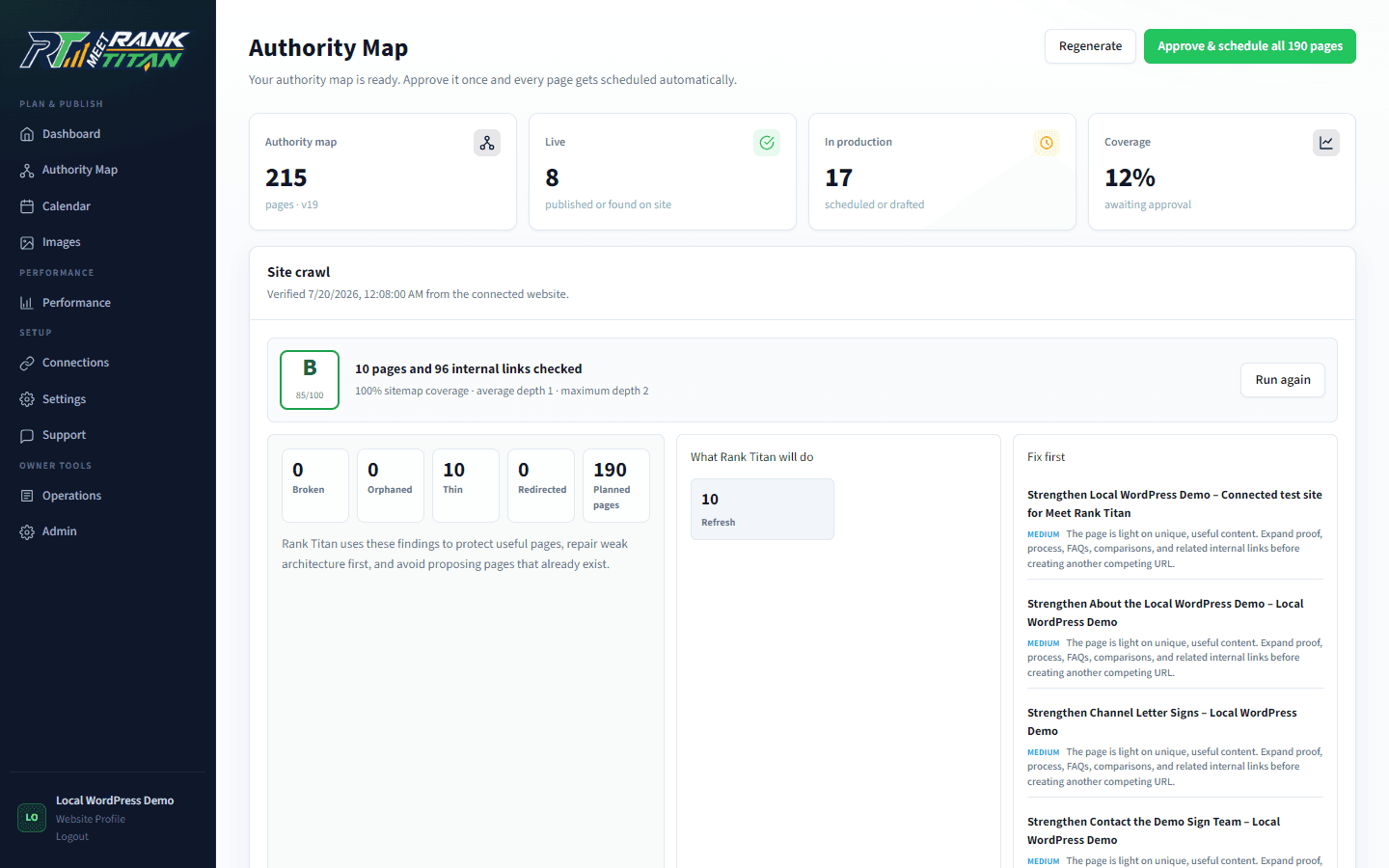
These are current captures from the working Rank Titan application—not conceptual dashboard mockups.
Map the site before generating the next page.
Rank Titan connects crawl evidence, topical architecture, briefs, QA, internal links, and draft-safe publishing in one reviewable workflow.